
E-commerce · Tomasz Pagacz - Jubiler Pagacz / AIRO Concept · 2026 · 5 months
Jubiler Pagacz - a WooCommerce store with a diamond search engine
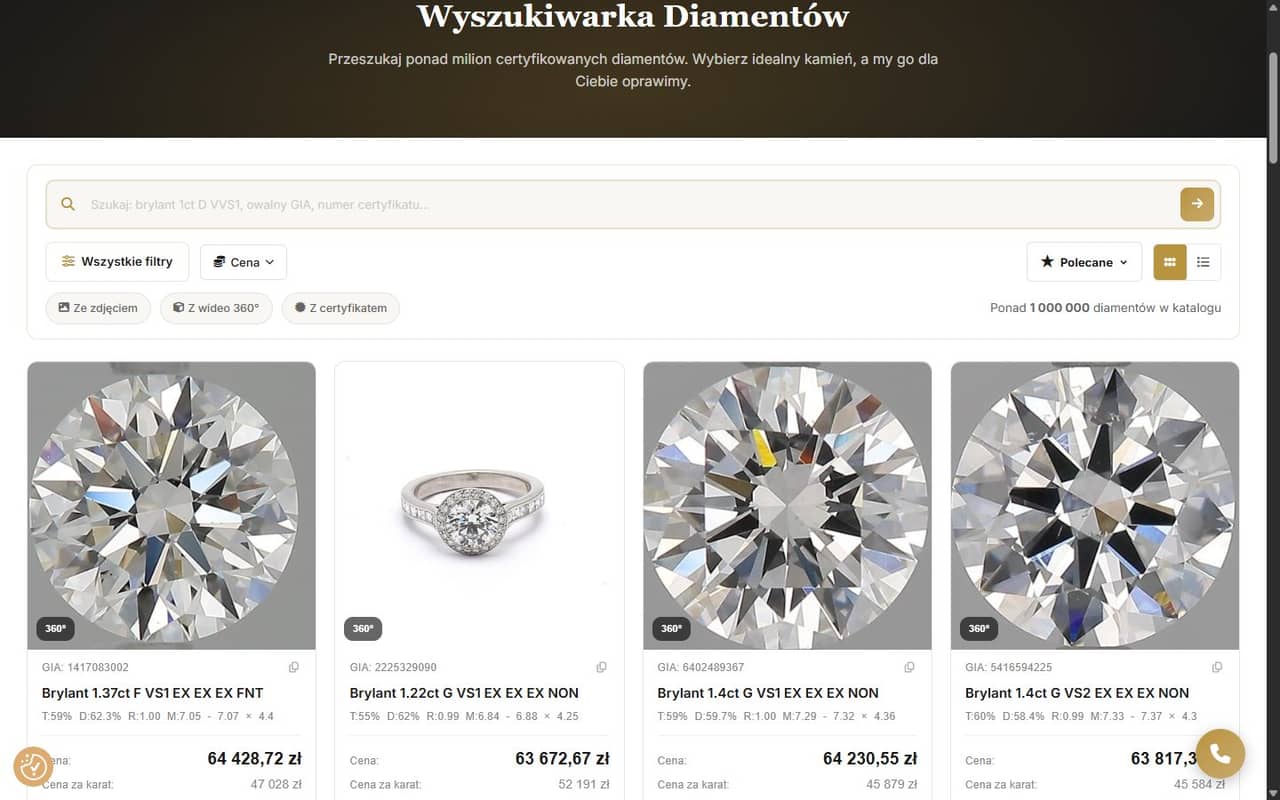
A store where a search engine for over a million diamonds from an outside catalogue stands next to 19,500 in-house products. The customer picks a stone by its GIA number, and the jeweller sets it.
- WordPress
- WooCommerce
- PHP
- JavaScript
- Nivoda API
- LiteSpeed Cache
- Docker
- GitHub Actions

The challenge
Tomasz Pagacz is a jewellery appraiser and gemmologist with a showroom in Bielsko-Biała. The online store had to carry a catalogue of over ten thousand gold pieces without losing speed. And at engagement time the customer still asks about a specific stone that isn't in stock and never will be, because keeping diamonds on hand freezes capital. The job was to reconcile a large in-house catalogue with access to stones the jeweller doesn't physically own.
Our solution
We built a store on WooCommerce with the Neve theme, extended with our own template layer and LiteSpeed Cache, plus a separate diamond search engine fed by the Nivoda API. The customer filters over a million certified stones by weight, colour, and clarity, views them in 360°, checks the GIA number, and buys, and the jeweller sets the stone.
19,500+
Products in the store
1M+
Diamonds in the search engine
9
Categories
What we built
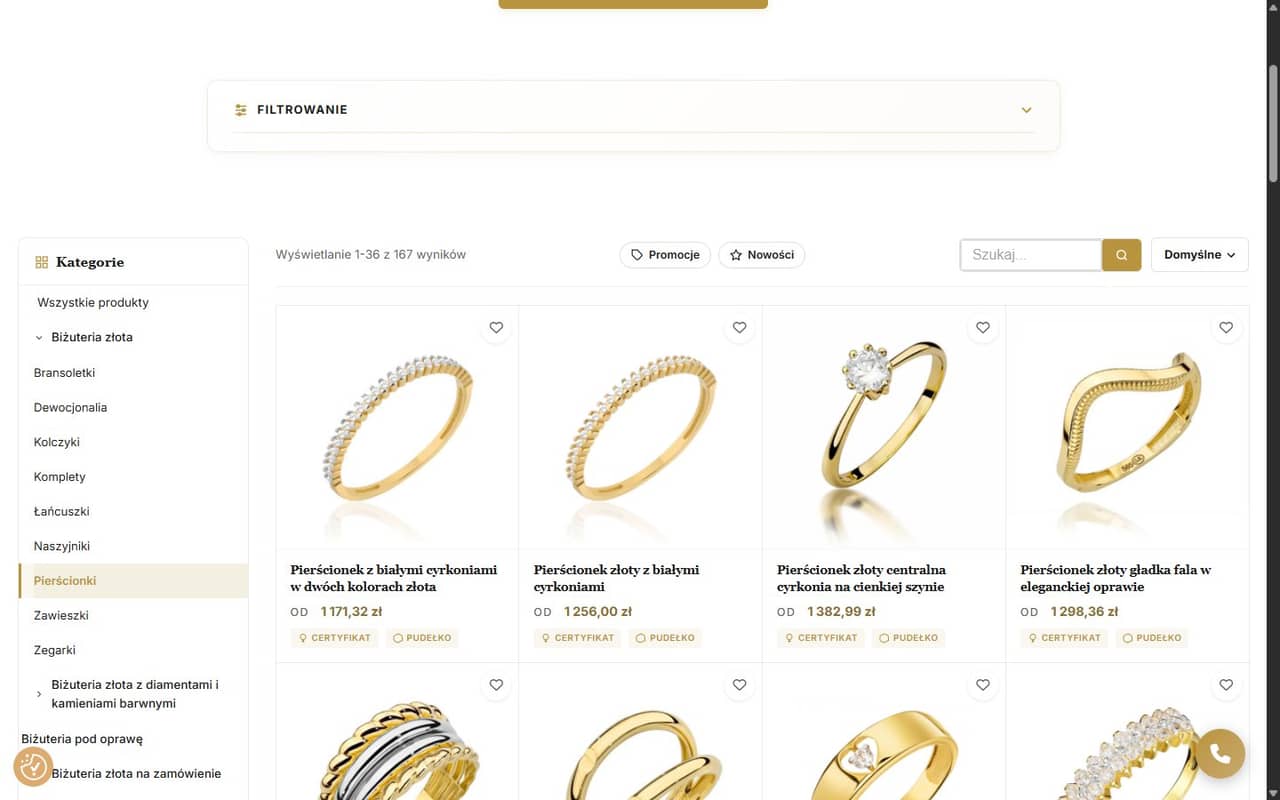
- 01 A catalogue of 19,500+ products in 9 categories
- 02 A diamond search engine from the Nivoda API: over a million stones
- 03 360° preview, GIA certificate number, price, and price per carat
- 04 Filters by weight, colour, clarity, cut, and fluorescence
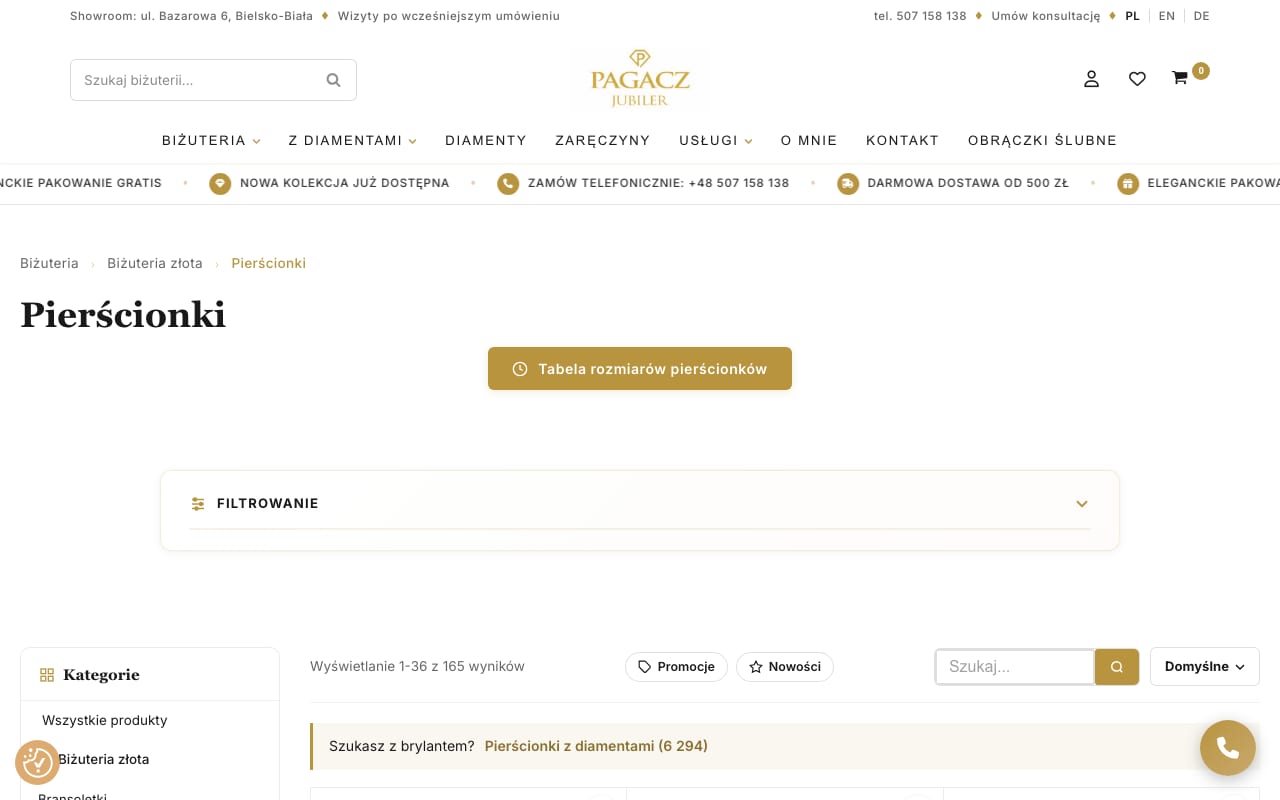
- 05 Price navigation: thresholds from PLN 500 to over PLN 5,000
- 06 Foundry catalogue import: data, photos, and our own product descriptions
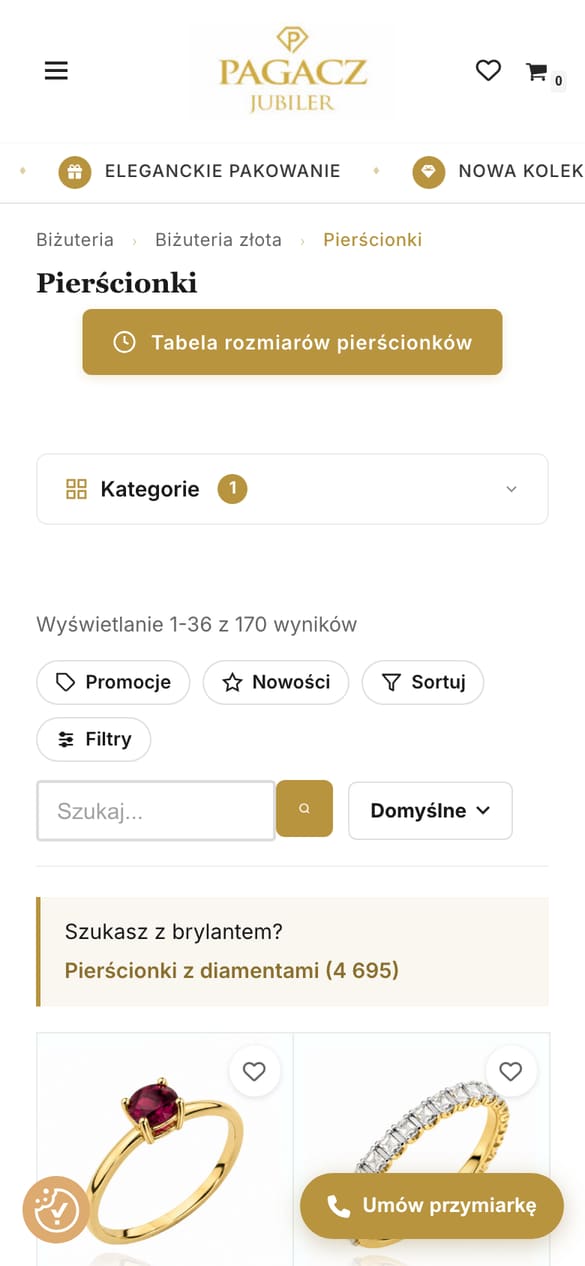
- 07 PL / EN / DE language versions
- 08 LiteSpeed Cache sized for a large catalogue
- 09 Staging and production in Docker, production deployment through GitHub Actions
- 10 Supplier catalogue sync with a guard and an alarm
- 11 410 responses for deleted products and flattened redirect chains
- 12 A log of sent emails and a disk usage alarm
Contents +
- Starting point
- Decisions that shaped the project
- A diamond search engine instead of a diamond stock
- A theme from the market, not written from scratch
- A catalogue built by script, not retyped by hand
- A cache sized to the catalogue
- Navigation by price, not only by category
- Staging before production, with a way back
- Maintenance after launch
- What came out of it
- Technically
Starting point
The showroom on Bazarowa Street in Bielsko-Biała sells two different things. The first is jewellery from the display case: chains, earrings, wedding bands, things that can be photographed and listed. The second is a diamond for an engagement ring: the customer arrives with a budget, and the jeweller looks for a stone with suppliers. The online store doesn’t replace a visit to the showroom here. It is meant to make sure a customer from Bielsko-Biała ends up at the showroom at all, which we write about in the piece on local SEO (in Polish).
This is the showroom seen from the front. The records on the other side of the counter (stock, orders, consignment, and metal buy-backs) run in a separate inventory system we built for the same jeweller.
An online store serving only the first part would be half a business. One serving the second by keeping diamonds in stock would be impossible, because that freezes capital in goods that sit for months. And the decision on what to build an online store on is made once and stays for years. With a catalogue this size it is better to make it deliberately, as we laid out in the comparison of WooCommerce and Shopify on the Polish market (in Polish).
Decisions that shaped the project
A diamond search engine instead of a diamond stock
The stone catalogue comes from the Nivoda API and is searched live: over a million certified diamonds, each with a GIA number, cut parameters, 360° video, and a price converted into zloty together with the price per carat. The jeweller holds not one of them in stock.
This is the core of the project. The customer gets a wider choice than any display case in Poland, the seller doesn’t freeze money, and the value the jeweller adds (choosing the stone, the setting, the guarantee of authenticity) stays on his side. Without this integration the site would be a catalogue of finished jewellery, which is what every competitor has.
A theme from the market, not written from scratch
The store layer stands on Neve with our own templates and styles (prefix jp-). With nineteen thousand products, a theme written from the ground up means keeping compatibility with every WooCommerce update on your own, and those can change the cart and checkout templates. We put our own work where it changes something: the diamond pages, the product list, and the look of the showroom, not recreating a cart that already exists.
A catalogue built by script, not retyped by hand
Nineteen thousand products in nine categories aren’t created by entering them one by one. The source data (weight, sizes, and stone layout) comes from the foundry’s product cards, the photos come down by script together with the category assignment, and the description of every design is written anew, not copied from the supplier.
That last step is the most important one here. A description pasted from a manufacturer’s catalogue has in Google exactly the value that the hundredth identical description of the same ring has on the hundredth identical page.
A cache sized to the catalogue
Nineteen thousand products means queries that WooCommerce won’t serve in a reasonable time without a cache layer. LiteSpeed Cache sits in front of the store, and after every content change the cache is purged, because a cache nobody purges is worse than no cache.
Navigation by price, not only by category
Next to the split into rings, earrings, and necklaces, the menu has price thresholds: up to PLN 500, 500-1,000, 1,000-2,500, 2,500-5,000, and above. With a catalogue like this, half the customers know how much they want to spend before they know what they want to buy, and that is their first filter.
Staging before production, with a way back
A push to main goes to staging automatically, and deployment to production is a manual step in GitHub Actions. Both environments run in Docker on a VPS, and a rollback script sits in the repo. For a store that really takes orders, “let’s see if it works” on production is not a way of working.
Maintenance after launch
A store with a catalogue like this needs constant care. A few changes from September:
The consent banner as a window in the middle of the screen. Almost nobody clicked it in the corner of the page. After the banner was moved to a modal window, the conversion rate of the local campaign in the reading of 28 September went back to 9.5%.
The supplier catalogue with no surprises. Products withdrawn by the supplier go into the store as out of stock, not as a draft. The catalogue guard judges changes by a relative threshold, not a fixed number, and sends an alarm after three failed runs. One run fetches the catalogue once, instead of five times.
Order for Googlebot. Deleted products return 410 instead of 404, chains of 301 redirects were flattened to a single hop, and robots.txt is cached for a day instead of an hour. A week after the changes, the share of 404 errors in Googlebot traffic fell from 16.8% to 2.9%.
Small things that someone eventually notices. The EN/DE language switch in the header started really translating the page, the store’s emails have a send log (before, there was no way to check whether a notification arrived), and the server sends an alarm when the shared disk usage passes 85%.
What came out of it
Homepage measurement from 13 September 2026, headless Chrome with no cache: 33 ms to first byte, 304 ms to first contentful paint, 855 ms to the load event. That is a good result for a store with a catalogue like this. LiteSpeed Cache does its job on the first byte.
The remaining numbers need a comment: 86 requests and 3,953 kB of transfer is a lot (one document, 18 stylesheets, 34 images, 21 JavaScript files, 7 fonts, and 5 XHR/fetch calls to the diamond search engine). For a store with nineteen thousand products and a separate Nivoda integration that is no scandal, but there is no point pretending the page is light. The headroom is in the images and in the number of stylesheets. That is where to look for further milliseconds, exactly as we describe in the Core Web Vitals checklist (in Polish). We have no measurement from before launch, so we don’t compare against a “before”. This is the state after launch, not proof of an improvement.
Technically
WordPress with WooCommerce in Docker on a VPS, the Neve theme with our own template layer (jp- in CSS, jp_ in PHP), LiteSpeed Cache. The Nivoda integration is in inc/nivoda-api.php with its own search front end. PL / EN / DE versions. CI/CD in GitHub Actions: main to staging, manual deployment to production, deploy and rollback scripts in the repository.
Screenshots






The first screen: Tomasz Pagacz at a gemmologist's loupe and a button for booking a consultation.
A similar problem to solve?
Tell us briefly what it is about. We will send a quote within 24 hours.
Ask for a quote →