
Business system · Tomasz Pagacz - Jubiler Pagacz · 2026 · 5 months (ongoing)
Jubi-Prog - a jewellery showroom's inventory system, successor to the desktop JUBI 2.20
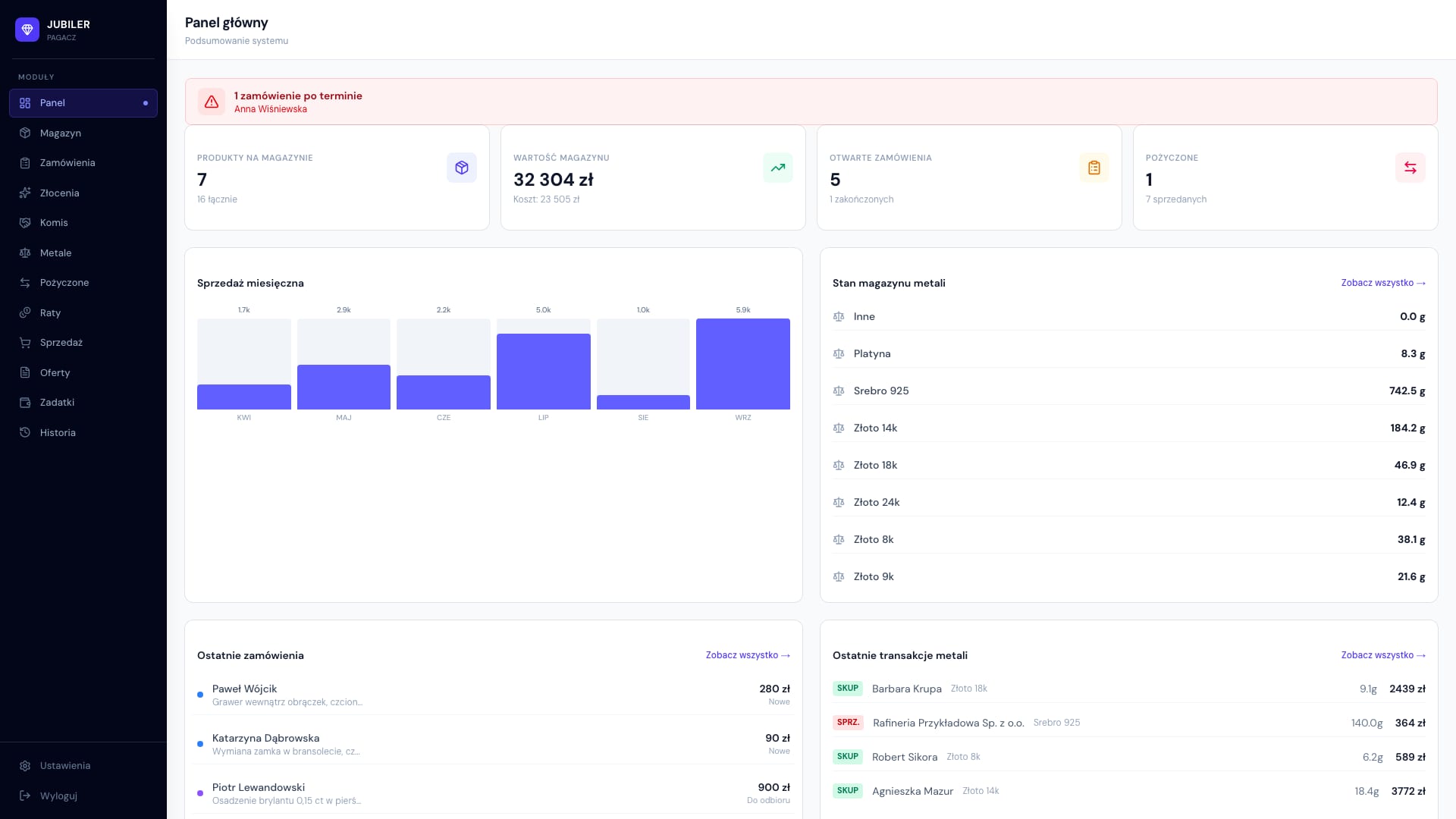
Fourteen modules that used to be a desktop program on one workstation with a stack of paper next to it: stock, orders, consignment, metal buy-backs, instalments, and invoices, with the contract printout generated by the app, not retyped in Word.
- Next.js 16
- React 19
- TypeScript
- PostgreSQL 16
- Prisma 7
- Tailwind CSS 4
- shadcn/ui
- jsPDF
- Docker
- SMSAPI
The challenge
A jewellery showroom keeps several kinds of records at once. Stock has a number, weight, purity, and margin. A customer order has a deadline, a deposit, and an entrusted item the jeweller is responsible for. Consignment is a contract with a third party. Buying gold from a private individual is a transaction with sensitive data and a duty to inform. On top of that come instalments, deposits, vouchers, and invoices. The starting point was the desktop JUBI 2.20, a program installed on one workstation in the showroom, where access from outside the counter and the backup depend on a single computer, and anything the program doesn't print is retyped by hand.
Our solution
One web app with fourteen modules and a shared PostgreSQL database. Each kind of record got its own module, but numbering, printouts, GDPR consents, and change history are shared by all of them. The documents (order, consignment contract, metal buy-back contract, invoice, and gilding card) are generated by the app as PDFs, with a barcode and space for signatures. Stock labels go to a DYMO printer in the showroom, and the system runs in Docker on a VPS with a nightly backup.
14
Modules in the system
72
API endpoints
5
PDF document templates
What we built
- 01 Stock with automatic numbering, margin calculated from the purchase price, and a table/gallery view
- 02 Product photos compressed to WebP, with iPhone HEIC conversion done in the browser
- 03 Orders with a deadline, a deposit, and row colouring by due date
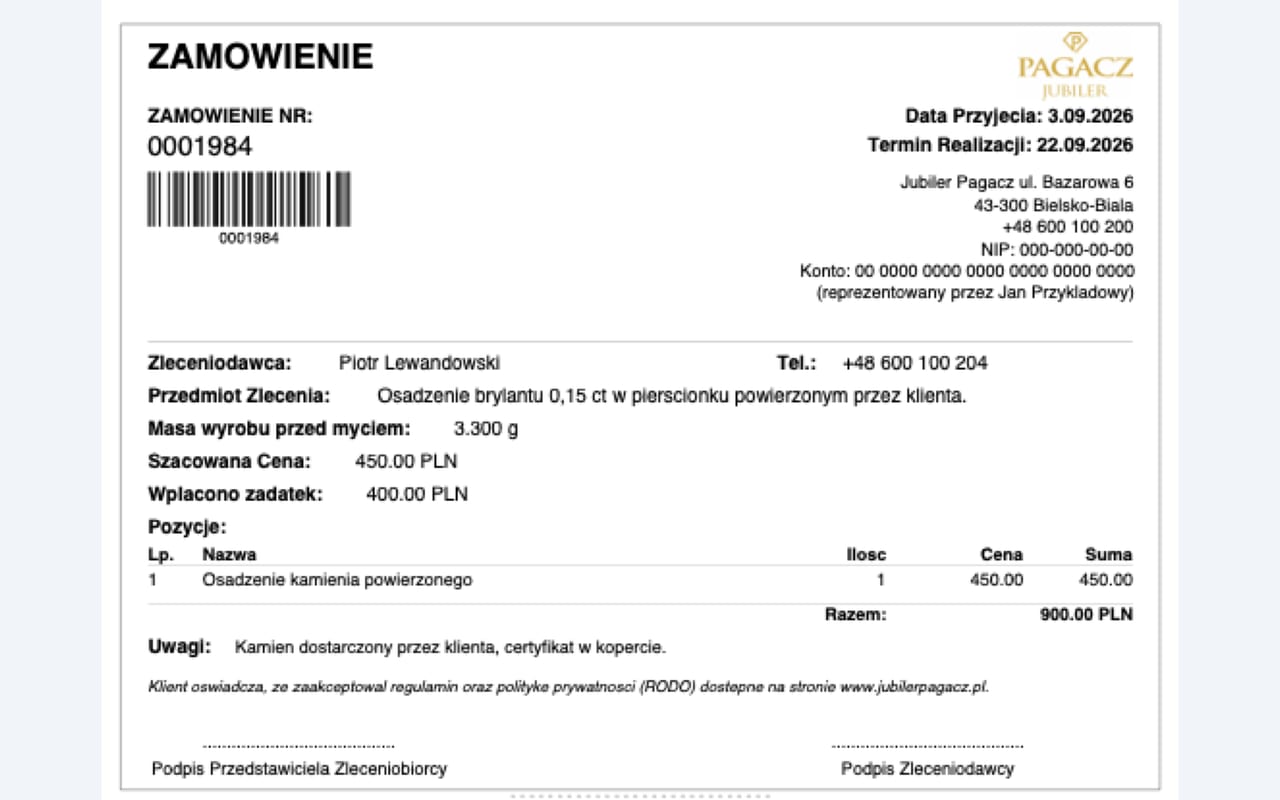
- 04 Order printout: two copies on A4 with a Code128 barcode and a GDPR clause
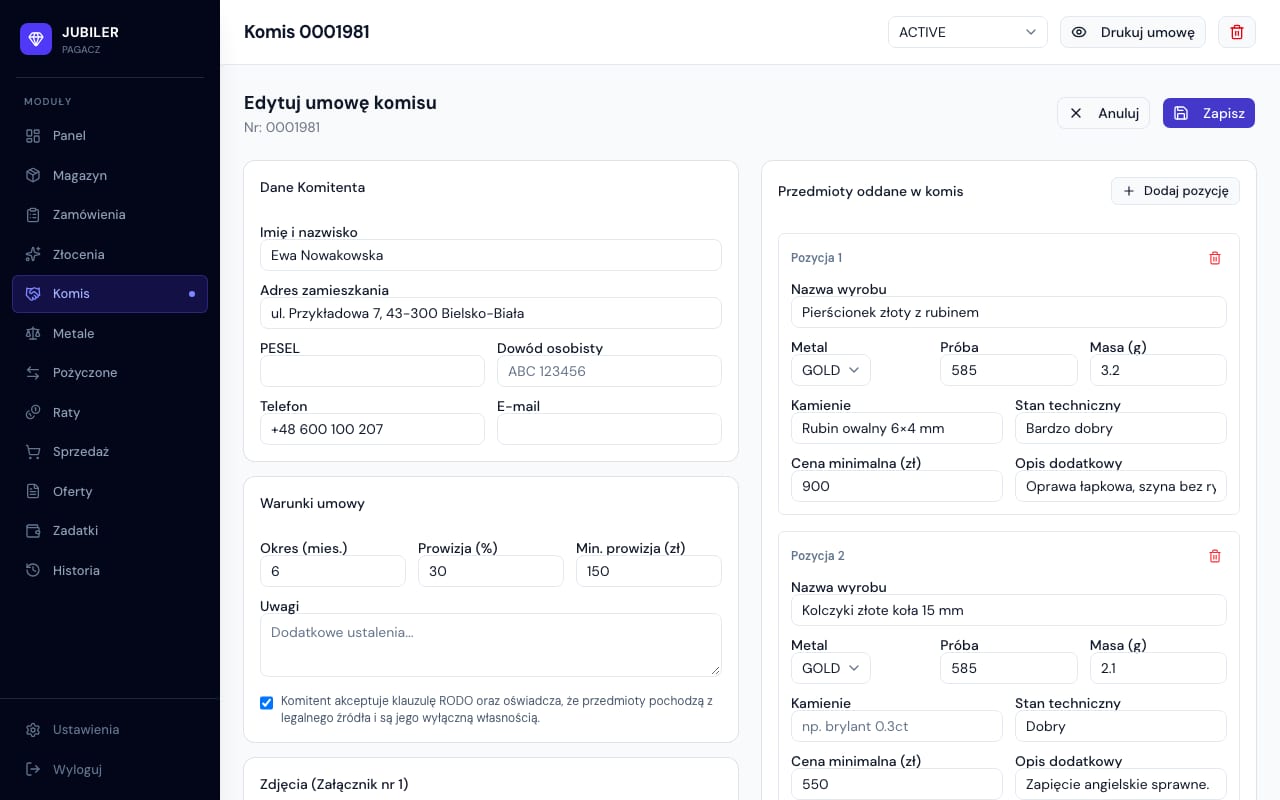
- 05 Multi-item consignment with a PDF contract: clauses, amount in words, signatures of both parties
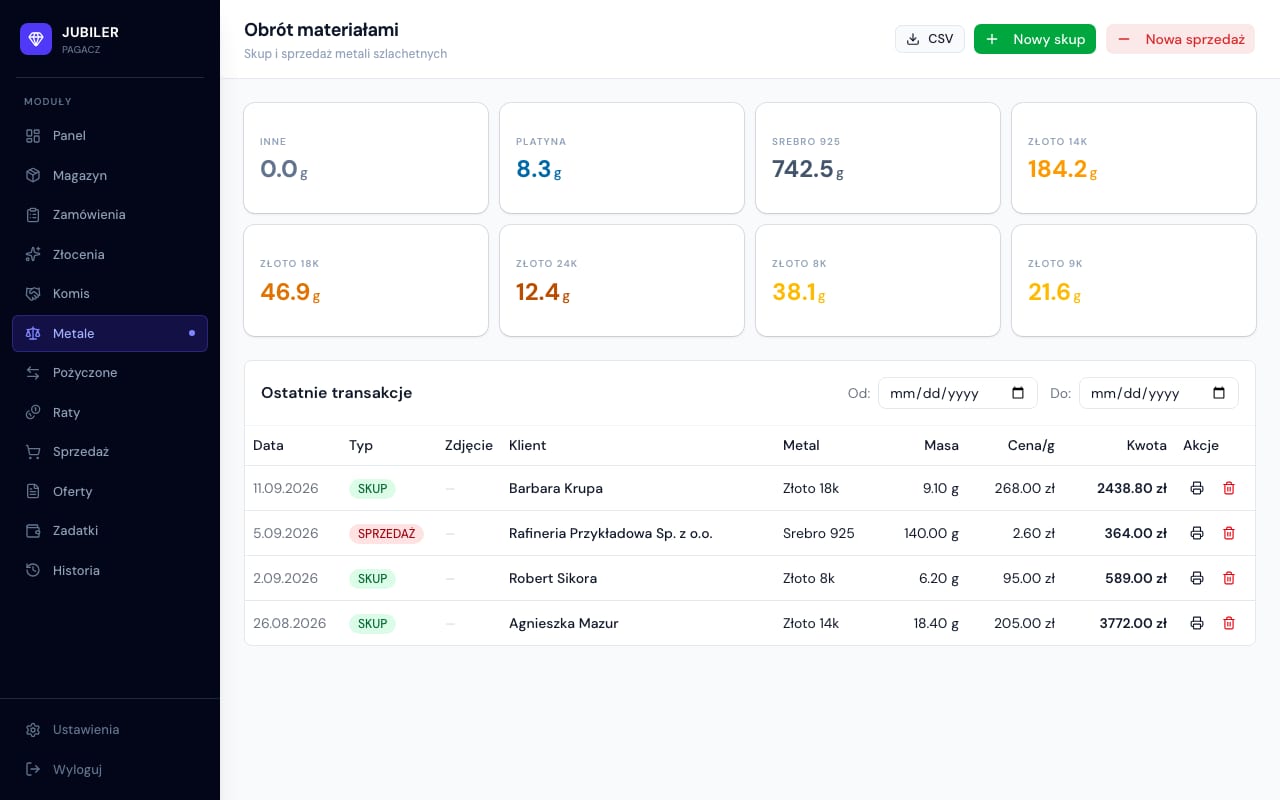
- 06 Metal buying and selling with automatic stock levels, a contract, and photos of the transaction
- 07 Client meetings saved straight into the showroom's Google Calendar
- 08 Instalments with a payment list and automatic closing of the plan after the last one
- 09 VAT invoices, deposits, vouchers, and advances as separate records with their own numbering
- 10 50×10 mm jewellery labels with a QR code on a DYMO LabelWriter 550
- 11 SMS to the client with templates and placeholders for number, surname, and deadline
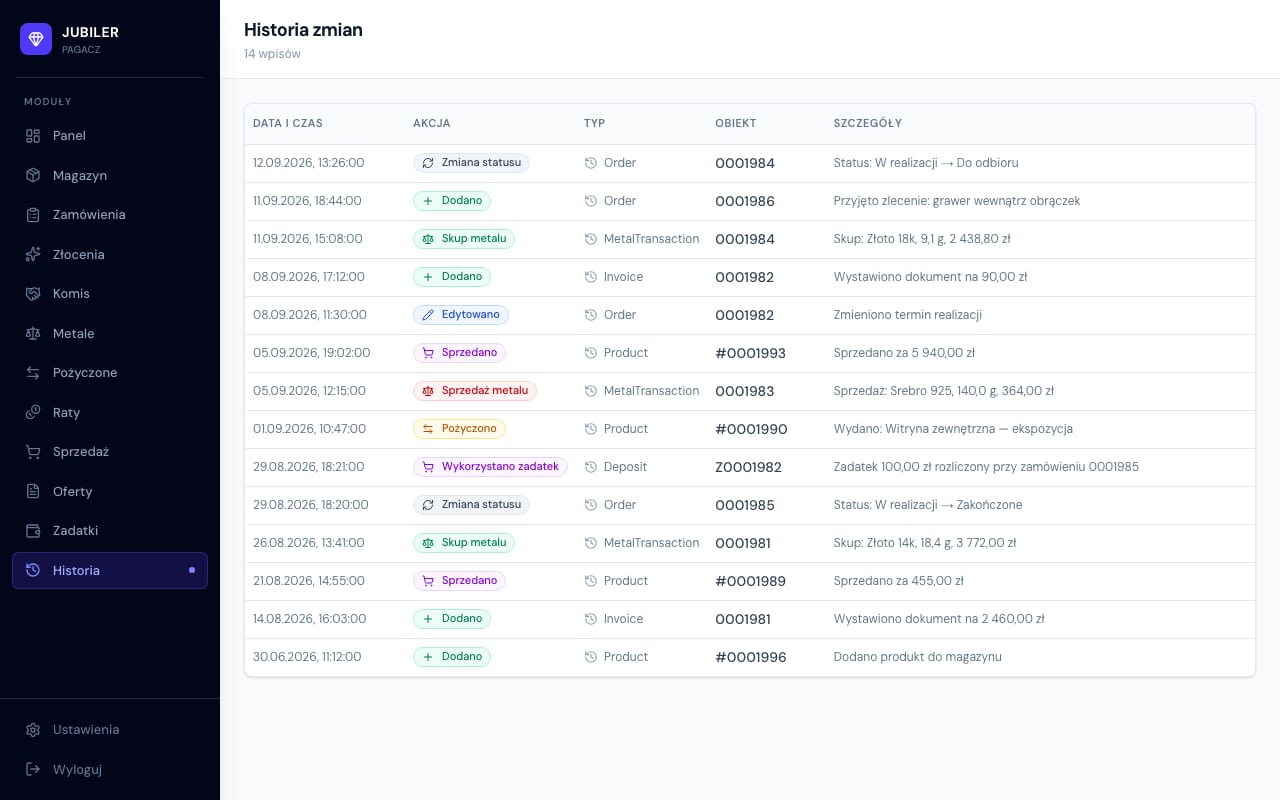
- 12 Change history: every addition, edit, sale, and SMS sent, with date and detail
- 13 Global Ctrl+K search across products, orders, transactions, and invoices
Contents +
- Starting point
- Decisions that shaped the project
- A web app, not another program on one computer
- Fourteen modules, one shared layer
- Documents generated by the program, not by a person in a text editor
- GDPR consent as a field that blocks saving
- Change history from day one, not after the first dispute
- Labels through the printer’s local service
- SMS on ready-made templates
- Meetings straight into Google Calendar
- What came out of it
- Technically
Starting point
The same client already has a WooCommerce store with a diamond search from us and a bot that runs his blog. The store handles what is visible from outside. This project is about what happens on the other side of the counter.
A jewellery showroom keeps several records at once, and each follows different rules. Stock is a number, metal, purity, weight, purchase price, and margin. An order is a deadline, a deposit, and someone else’s property in the jeweller’s hands. Consignment is a contract with a person who leaves their piece to be sold. Buying gold from a private individual is a transaction in which sensitive data is collected. Instalments, deposits, vouchers, and invoices are four more separate things.
The starting point was the desktop JUBI 2.20, a program installed on one workstation in the showroom. With that setup, access to the data ends where the computer stands, the backup depends on that one disk, and anything the program doesn’t print is retyped by hand.
Decisions that shaped the project
A web app, not another program on one computer
The system is a page opened in a browser: from the counter, from the back room, and from home. There is one database, the backup runs at night on the server side, and there is no “mine is newer” version, because there is nothing to install. The cost is a dependence on the network and on the server being up: with a program on a disk, an internet outage doesn’t stop work, and here it does. That is a deliberate trade-off and we say so plainly. We break down the choice between WordPress and an app written from scratch in the piece on when to pick WordPress and when Next.js (in Polish).
Fourteen modules, one shared layer
Each kind of record has its own module and its own form, because consignment really does need different fields than gold buying. Four things are shared: numbering, printouts, GDPR consents, and change history. Kept separately in every module, after half a year there would be fourteen variants of the same printout and fourteen places to correct the company address.
Documents generated by the program, not by a person in a text editor
Five templates (order, consignment contract, metal buy-back contract, invoice, and gilding card) are built in code with jsPDF. The contracts have numbered clauses, the amount in words, an information clause, and space for signatures. The order comes out in two copies on one A4 sheet with a Code128 barcode.
It is about repeatability. A document put together by hand in Word differs between copies exactly where it shouldn’t: in the date, in the amount, in a paragraph someone deleted because “it didn’t fit on the page”.
GDPR consent as a field that blocks saving
For an order, and for buying and selling metals, the consent field is required to save. It could have been done as a sheet to sign next to the program, and then after a year there is no way to check at which transactions it was collected. A field in the database always answers that question, and the clause goes onto the printout automatically.
Change history from day one, not after the first dispute
A separate module records every addition, edit, deletion, sale, loan, metal transaction, settled deposit, and SMS sent, with the date, the object, and the detail. An audit added after the fact has one flaw: it starts on the day of rollout, while the questions usually concern what happened before.
Labels through the printer’s local service
The 50×10 mm jewellery labels with a number and a QR code are printed on a DYMO LabelWriter 550 through the DYMO Connect service running on the cashier’s computer at https://localhost:41951. The service has a self-signed certificate, so the browser blocks the connection until the user accepts it by hand once, and this has to be repeated after changing the browser or reinstalling the driver. That is a real inconvenience of the integration, and it is described in the workstation instructions, not swept under the carpet.
SMS on ready-made templates
A notice that a piece is ready is a sentence written a dozen times a week. The templates sit in the settings, have placeholders for the order number, surname, and deadline, and sending goes through SMSAPI and lands in the history. The text can always be overwritten by hand. The template is meant to shorten typing, not to take away the option of writing something else.
Meetings straight into Google Calendar
A separate tab saves a client meeting in the database and at once sends it to the showroom’s Google Calendar, without the googleapis package, on plain OAuth and the Calendar API. The entry has an orange colour so it stands out from the rest of the calendar. The integration has three failure states and handles each differently. An unconnected account is a normal state and produces no messages. Revoked access lights a badge on the meeting but doesn’t block deleting, because the access can’t be recovered anyway. A temporary lack of response from Google blocks deleting, so that no orphan entry is left in the calendar.
What came out of it
The system runs in the showroom and is being developed further: fourteen modules, 30 screens, 72 API endpoints, five PDF document templates, 89 commits from April to September 2026. In September came the Google Calendar meetings, photos for metal buying and selling, the weight of every item on the order printout, and deployment and backup scripts kept in the repository, not only on the server.
A fair note on these numbers: they describe scope, not savings. We didn’t measure how many minutes issuing a consignment contract took before rollout, so we won’t write that we halved it. Something else can be checked: the contract, invoice, label, and SMS notice now come out of the same place as the records, and every change leaves a trace in the history.
The screenshots in the gallery come from a demo instance with data made up for this page. The showroom’s client records never leave the system and never reach the portfolio, and the same would hold for any system we build for someone.
Technically
Next.js 16 (App Router) with React 19 and TypeScript, Tailwind CSS 4 and shadcn/ui on the front end. Data in PostgreSQL 16 through Prisma 7. Sessions on iron-session in an httpOnly cookie, passwords hashed with bcrypt, and middleware that cuts off every path except login and file reads. Photos go through sharp to WebP, and iPhone HEIC files are converted by the browser before anything goes to the server. The PDFs are put together by jsPDF with jsbarcode (Code128) and qrcode (DYMO labels). Everything runs in Docker Compose on a VPS behind nginx, at program.jubilerpagacz.pl, with a nightly database dump at 3:00.
Screenshots
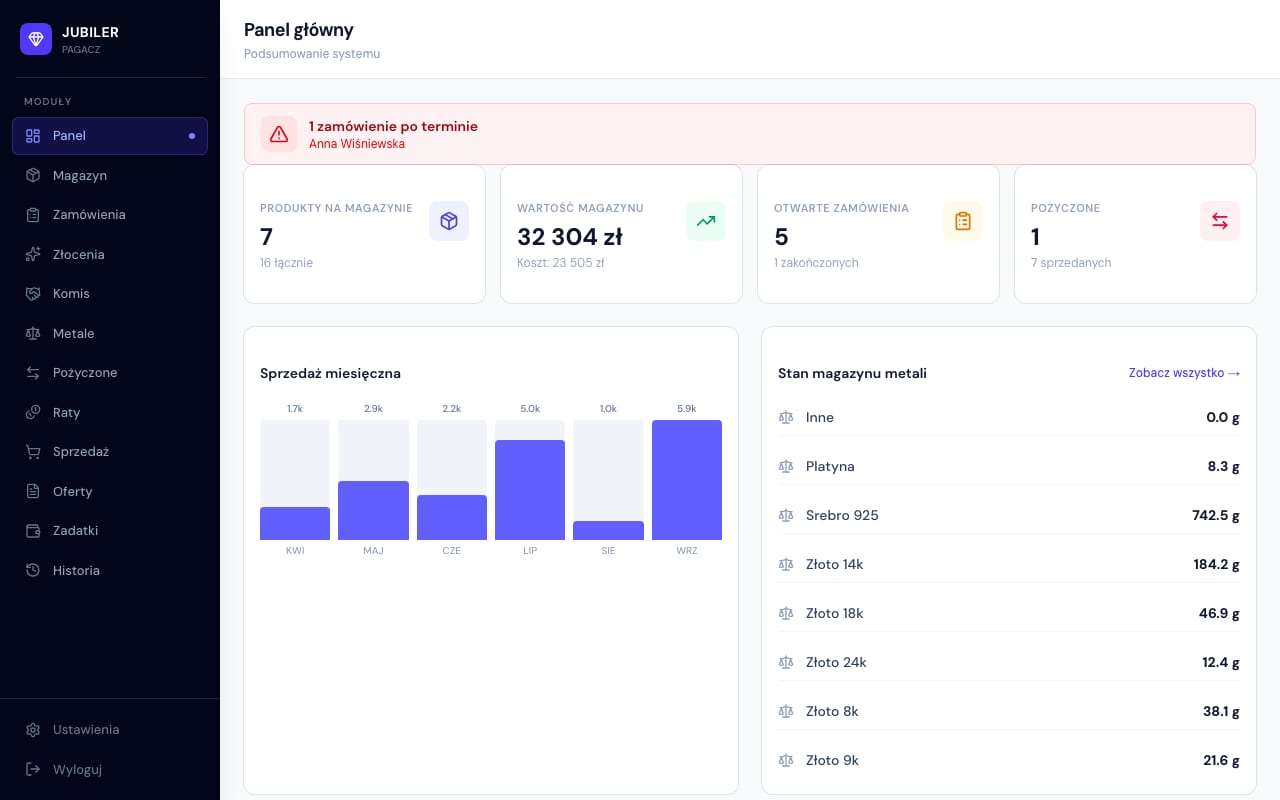
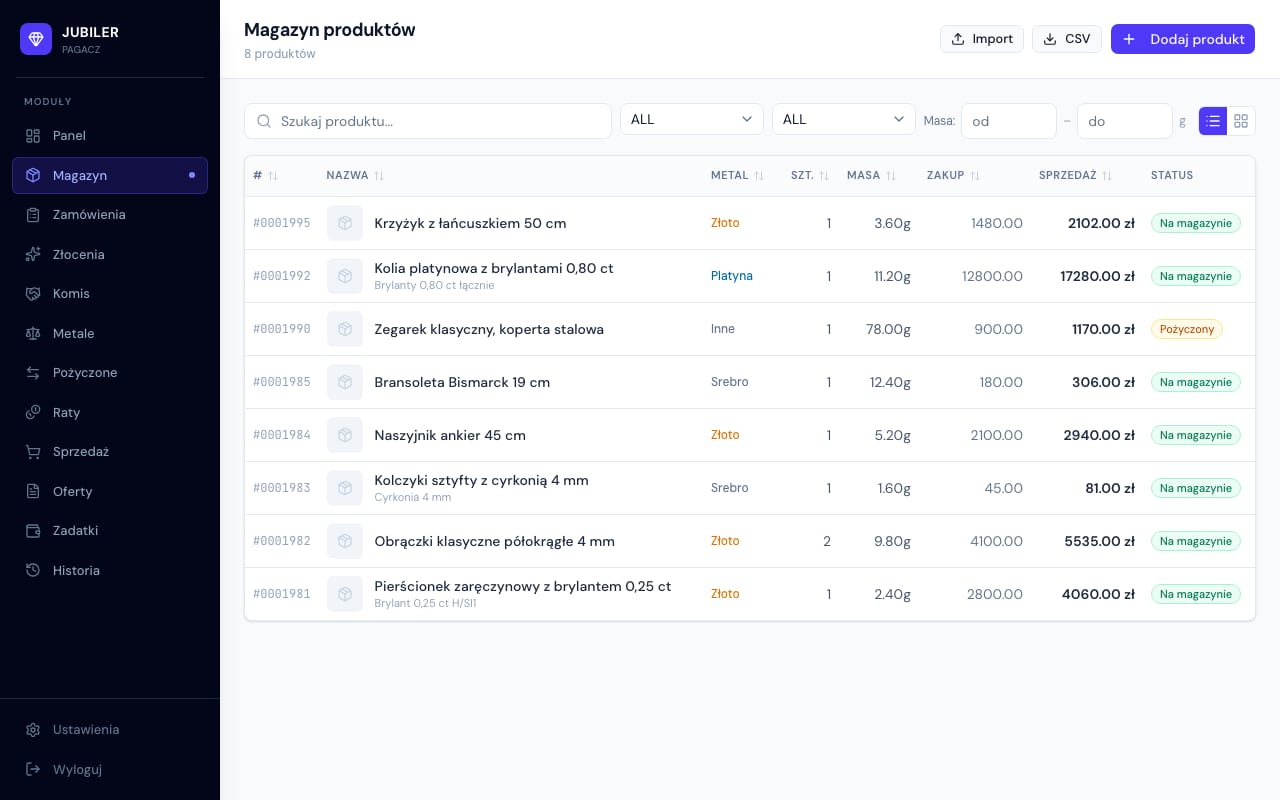
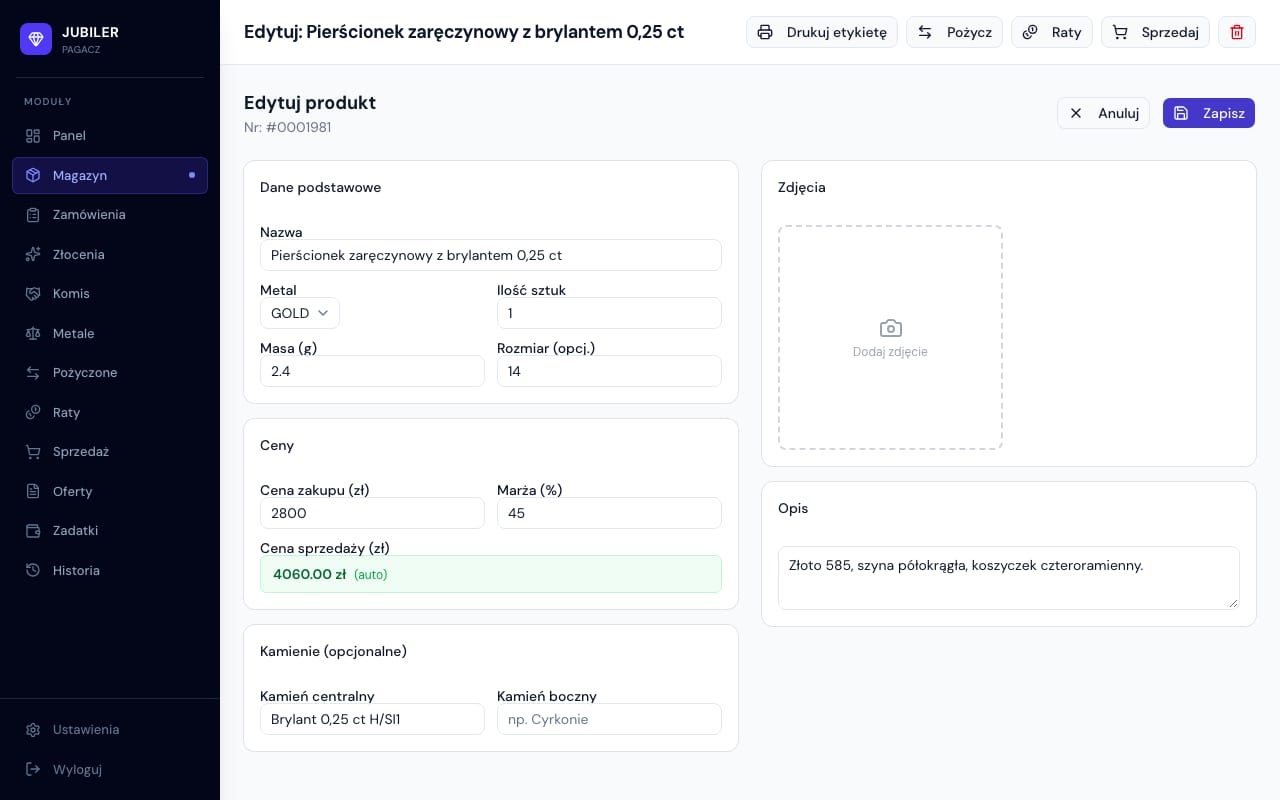
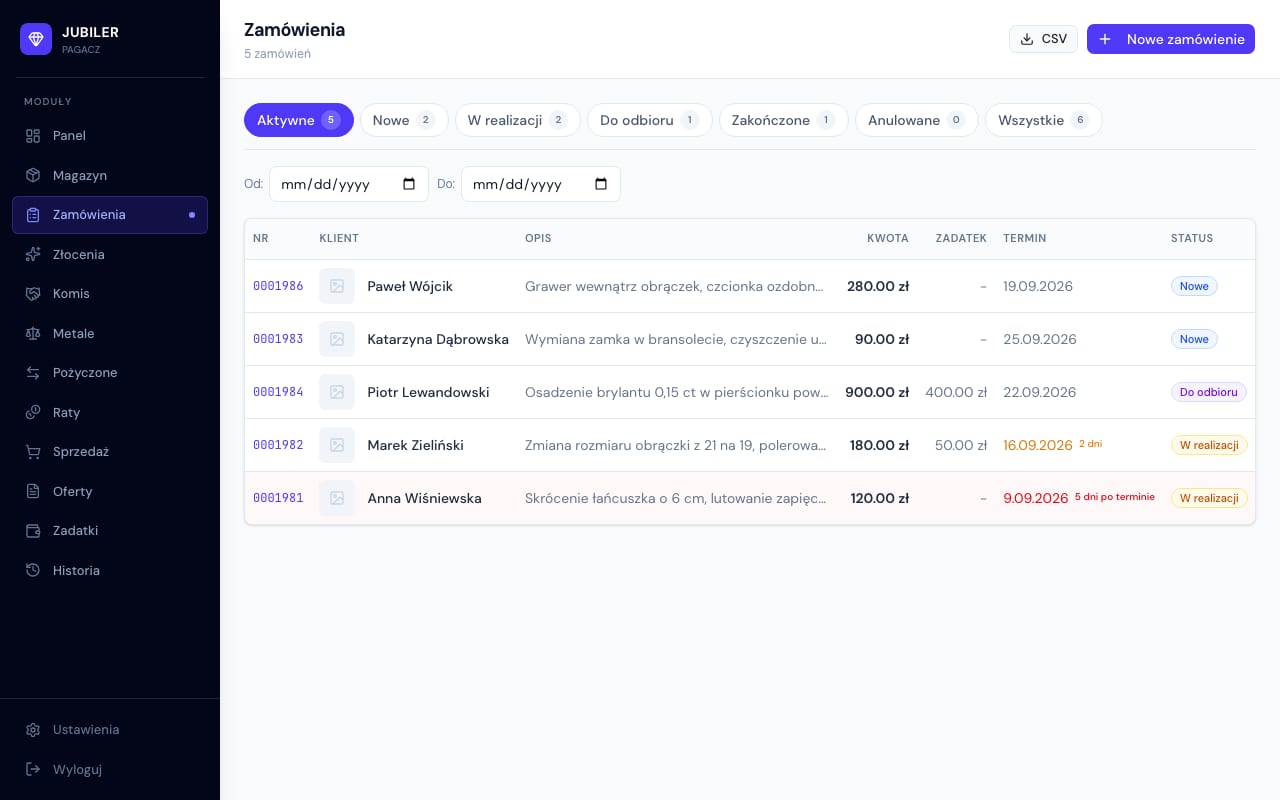
The dashboard opens with what needs a reaction: a red banner for an overdue order, then stock level and value, monthly sales, and the metal stock in grams.
A similar problem to solve?
Tell us briefly what it is about. We will send a quote within 24 hours.
Ask for a quote →